Choose your apps
Apply restrictions to selected apps using Apple’s Screen Time technologies.
 LocksteadEnglish
APP LOCK FOR IPHONE & IPAD
Choose which apps stay restricted before lending your device. Lockstead brings app access controls, a six-digit PIN and scheduled protection together, without an app account.
Version 1.2.1 · Now in 10 languages
View on the App Store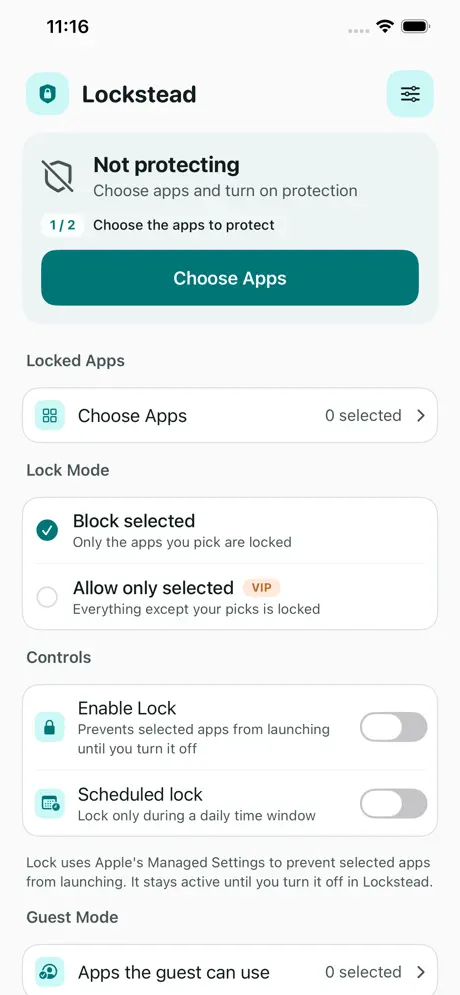
A friend needs directions, someone wants to see a photo, or you lend your iPad for a video. Restrict the apps you want to keep private. With VIP Guest Mode, choose the apps that remain available. Check both an allowed app and a restricted app before handing over your device.
Apply restrictions to selected apps using Apple’s Screen Time technologies.
With optional VIP, leave only your chosen apps available during a shared-device session.
Set protection windows and temporary access for your routine. System background limits can delay changes.
Protect Lockstead settings with a six-digit PIN and optional Face ID or Touch ID. This does not add a biometric sign-in inside each protected app.
Download and try protection for one selected app without creating an account.
Unlock multi-app management, Guest Mode and advanced rules, plus premium themes and alternate icons. Check your App Store for current plans and regional prices.
Requires iPhone or iPad with iOS/iPadOS 17 or later and Screen Time authorization. After setup, test that your selected apps are restricted.
Background protection changes may be delayed by iOS. Check the current protection state before lending your device. App restrictions do not encrypt files, redact shared content or guarantee that notifications and all traces are hidden.
No app account, backend server, advertising or analytics SDK. Your PIN and configuration stay on-device.
Privacy policyProduct information checked October 7, 2026. Availability, features and purchase options follow your App Store listing.